
The Seattle Times
The Seattle TimesNews & Magazines
4.11.69K Reviews
- Version
- 7.2.1
- Installs
- 100.00K
- Age Rating
- Everyone
Screenshots
Our Review of The Seattle Times
 Analysis by Appyee
When I want to understand what is happening around Seattle, I would rather read reporting grounded in the region than sift through a stream of national headlines and hope a local detail turns up. That is the main reason I find The Seattle Times useful: it gives Northwest news a place at the center of the reading experience. It is a free news and magazines app from The Seattle Times, and its strongest appeal is to people who want to keep local affairs in their regular news routine.
The focus makes a practical difference. A national news app can be better for following events across the country or comparing many publishers in one feed, but it may leave Seattle-area developments scattered between broader stories. Here, local coverage is the point, so I can use the app to check what is being reported in the community before turning to a general news source for wider context. I would treat it as a regional reading destination, not as a complete replacement for every kind of news coverage.
Getting Started with The Seattle Times App
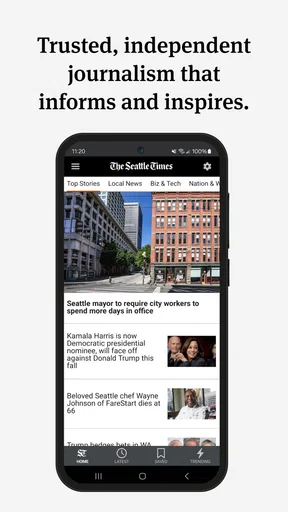
First things first, downloading the app was a breeze. A quick search in the app store, and I was ready to roll. The installation was smooth with no hiccups, and it didn’t demand a laundry list of permissions, which is always a relief. Once you launch the app, you’re greeted with a clean, uncluttered layout. It's straightforward and user-friendly, making it easy to navigate even for those who aren’t particularly tech-savvy.
Local coverage is the central draw
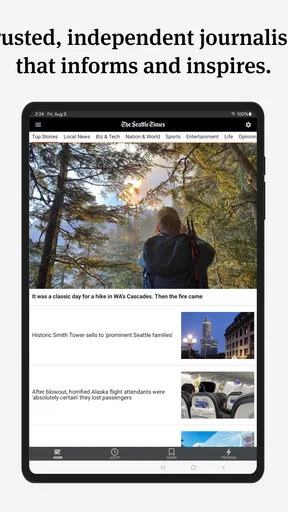
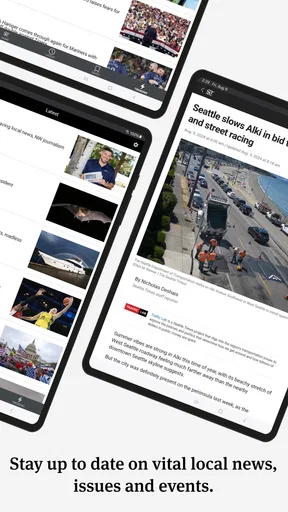
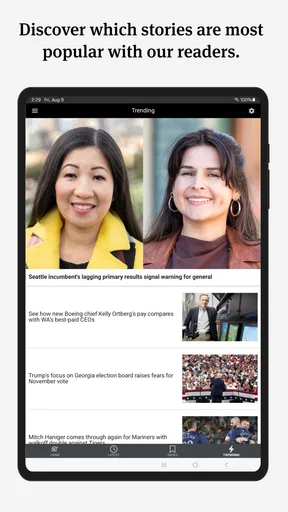
Let’s chat about the interface. The layout is intuitive, featuring sections like News, Sports, and Opinion. Each section is well-organized, letting you jump right into the topics that interest you the most. I particularly enjoyed the "Local News" section, which offers a slice of life from the city, covering everything from politics to community events. The app’s design is modern yet simple, with a focus on readability, which is a big win in my book.
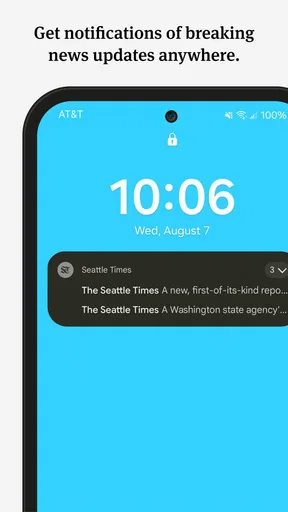
One standout feature is the ability to customize your news feed. By selecting your favorite categories, you can tailor the experience to fit your preferences. Plus, the app sends you notifications on breaking news, ensuring you’re always in the loop. A handy feature for those of us who love to stay informed but don’t want to be overwhelmed by constant alerts.
How I would fit it into a real day
The local focus works best when I use it as a short, deliberate check-in rather than an endless scroll. I might open the app with coffee, scan the sections I care about, then leave a longer investigation for a quieter moment. If a community issue catches my attention, I can follow it through related coverage instead of treating every headline as an isolated update. That habit gives the app a clearer purpose: it becomes a way to keep up with the place I live, work, or visit, not another source demanding attention all day.
For someone commuting or moving between appointments, notifications can be useful when a significant development breaks. I’d keep them selective, though. A phone that announces every update quickly becomes background noise, and the point of a local news alert is that it should help me decide whether to read now or later. If I prefer a calmer routine, I can open the app at a chosen time and use the category choices to make that visit feel more focused.
Reporting, formats, and a useful reading habit
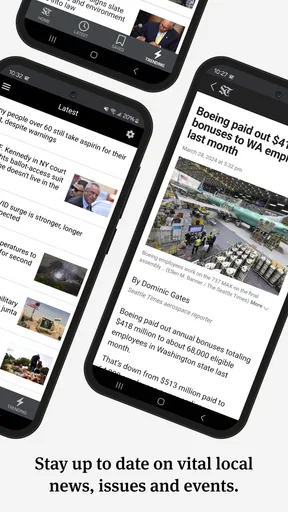
Now, onto the content itself. The Seattle Times app offers a rich variety of articles that cater to different tastes. Whether you’re into in-depth investigative journalism or lighter lifestyle pieces, there’s something for everyone. The quality of writing is top-notch, with well-researched articles that provide depth and context. It’s evident that the writers have a keen understanding of the local culture and the issues that matter to Seattleites.
The app also features multimedia content, including videos and photo galleries. This adds a dynamic element to the storytelling, making the news more engaging and interactive. It’s not just about reading; it’s about experiencing the story, which is a refreshing change from the typical text-heavy news apps.
In practice, those formats suit different moments. I’d choose a written report when I want background or a clear account of a developing local issue, while a gallery can help make a place, event, or scene easier to picture. Video is a convenient alternative when reading is awkward, but it is not automatically the best choice in a quiet waiting room or when I have only a minute. Picking a format to match the moment is a small way to get more from the app without trying to consume everything it publishes.
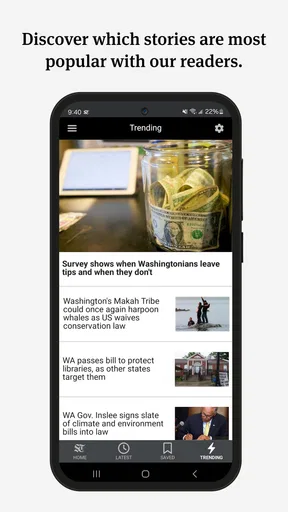
A useful approach is to treat a striking headline as the start of a reading path. I can save a longer piece for later if I am short on time, then return when I can give it proper attention. That is especially helpful with local reporting: the value may be in the background and follow-up, not only in the first alert. I would also balance a focused regional view with a broader source when I need national or international coverage, since those are different jobs for a news app.
Access, cost, and the subscription decision
Let’s talk about access. While the app does offer free content, there’s a subscription option for those who want the full experience. Subscribing unlocks all the premium articles, and honestly, it’s worth every penny if you’re a news junkie like me. The subscription model supports quality journalism, ensuring that you’re investing in well-rounded, reliable reporting.
The app itself is free to install, but readers should distinguish that from access to every article: some content is available without subscribing, while premium reporting requires a paid option. In-app purchases are listed at $19.99 per item, so I would check the purchase details shown in the app before deciding what makes sense for my reading. If I only want occasional headlines, free access may be enough; if I regularly rely on the reporting, the subscription route is easier to justify. Either way, I would not assume that installing a free app means every story is included.
That distinction also helps answer a common practical question: can I try it without committing to a subscription? Yes, the free app includes free content, so I can first see whether its local coverage and reading style suit me. I would make the decision based on how often I return and whether the articles I most want to read are among the premium pieces, rather than paying simply because the app is installed.
Saving stories and choosing the right reader
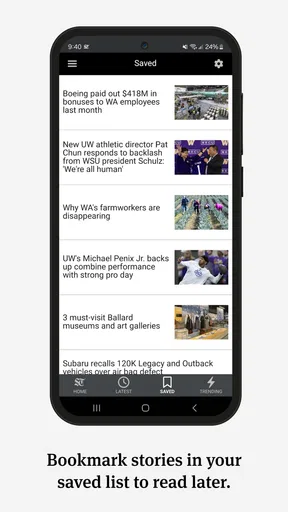
One neat feature is the offline reading mode. You can save articles to read later, which is perfect for those long commutes or when you’re off the grid. No more excuses for not catching up on your reading list!
For me, saving a story is most useful as a small queue, not a second inbox. I would keep only pieces I genuinely plan to finish, then clear them as I read. That makes the feature helpful for a train ride, a break between errands, or a stretch with unreliable connectivity, without creating a pile of headlines that feels like another task. A saved article also gives me a way to separate “interesting now” from “worth giving time to later.”
The app is available for Everyone and has an average rating of 4.2 from around 3.9 thousand ratings, with about 1.7 thousand written reviews and over 100 thousand installs. It was released in 2011, and version 6.3.2 requires Android 7.0 or later. Those details suggest an established app with a sizeable audience, though a rating cannot tell me whether its particular mix of local reporting and paid access is right for my habits. I would still judge it by the stories I actually want to read and how often I use it.
Who will get the most from it
All in all, The Seattle Times app is a fantastic resource for anyone looking to stay informed about Seattle and beyond. It combines a user-friendly interface with high-quality content, making it a must-have app for locals and anyone interested in the Pacific Northwest.
I think it suits Seattle-area residents who want local reporting within easy reach, people with family or work ties to the region, and visitors who want more context than a general travel feed usually provides. It is also a sensible choice for readers who enjoy moving between news, sports, and opinion rather than using a single-topic publication. If I lived elsewhere and rarely followed the Northwest, though, the regional emphasis would probably not earn a regular place on my home screen.
It is less suitable for someone who wants one app to cover the whole world, a fully free library of every article, or a highly personalized feed assembled from many publishers. A news aggregator is often better for scanning multiple outlets side by side; a national publication makes more sense when national coverage is the priority. The trade-off here is a more place-specific reading experience in exchange for less breadth across publishers and a subscription decision for premium access.
In a world where news is constantly evolving, having a reliable source that offers both breadth and depth is invaluable. So, if you’re in the market for a comprehensive news app that keeps you connected to the heart of Seattle, give The Seattle Times a try. Who knows, it might just become your go-to source for all things news!
My recommendation is to start with the free material, choose only the categories I genuinely follow, and decide after a few reading sessions whether the local coverage earns a daily check-in. If it does, saved stories and restrained alerts can make it fit neatly around work and travel. If I mostly want broad headlines or never read Seattle-area reporting, I would choose a general news app instead. For readers who care about the region, though, this is a focused and convenient way to keep local stories close without pretending that one publication has to meet every news need.
Verdict
Strengths of The Seattle Times
- Comprehensive local news coverage.
- User-friendly interface.
- Timely notifications for breaking news.
- Offline reading mode available.
- Customizable news feed.
Limitations of The Seattle Times
- Limited international news content.
- Subscription required for full access.
- Occasional ads in free version.
- No dark mode option.
- Limited multimedia content.
Similar Picks in This Category
View All
Google News - Daily Headlines
Google LLC4.0

X
X Corp.4.8

Flipboard:Your Social Magazine
Flipboard3.4

Opera News: breaking & local
Opera4.5

Hindi News by Dainik Bhaskar
Dainik Bhaskar Group4.0

Way2News Daily News App
Way2News ( Formerly Way2SMS )4.6
Frequently Asked Questions
What features does The Seattle Times app offer?
The Seattle Times app provides users with access to breaking news, in-depth articles, multimedia content, and live updates. It includes personalized news feeds, offline reading capabilities, and customizable notifications. Users can also explore editorial content and opinion pieces, making it a comprehensive source for local, national, and international news.
Is a subscription required to access content on The Seattle Times app?
While The Seattle Times app offers some free content, access to premium articles and features typically requires a subscription. Users can choose from various subscription plans that provide full access to in-depth reports, exclusive stories, and other premium content. Subscriptions can usually be managed directly through the app.
How can I customize notifications in The Seattle Times app?
The Seattle Times app allows users to customize notifications to receive alerts that are most relevant to them. Users can opt in to receive notifications on specific topics, breaking news, sports updates, and more. This can be easily configured in the app’s settings menu, ensuring you stay informed on what matters most to you.
What platforms is The Seattle Times app available on?
The Seattle Times app is available for both Android and iOS devices. Users can download the app from the Google Play Store for Android devices or the Apple App Store for iOS devices. The app is designed to provide an optimal reading experience across smartphones and tablets, ensuring easy access to news on the go.
How user-friendly is The Seattle Times app interface?
The Seattle Times app is designed with a user-friendly interface that prioritizes ease of navigation. It features a clean layout with intuitive menus, making it simple for users to browse through different sections and access content quickly. The app’s design enhances the reading experience, allowing users to focus on the news without distractions.
